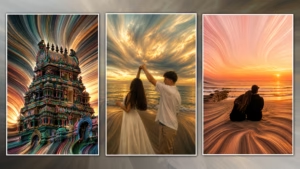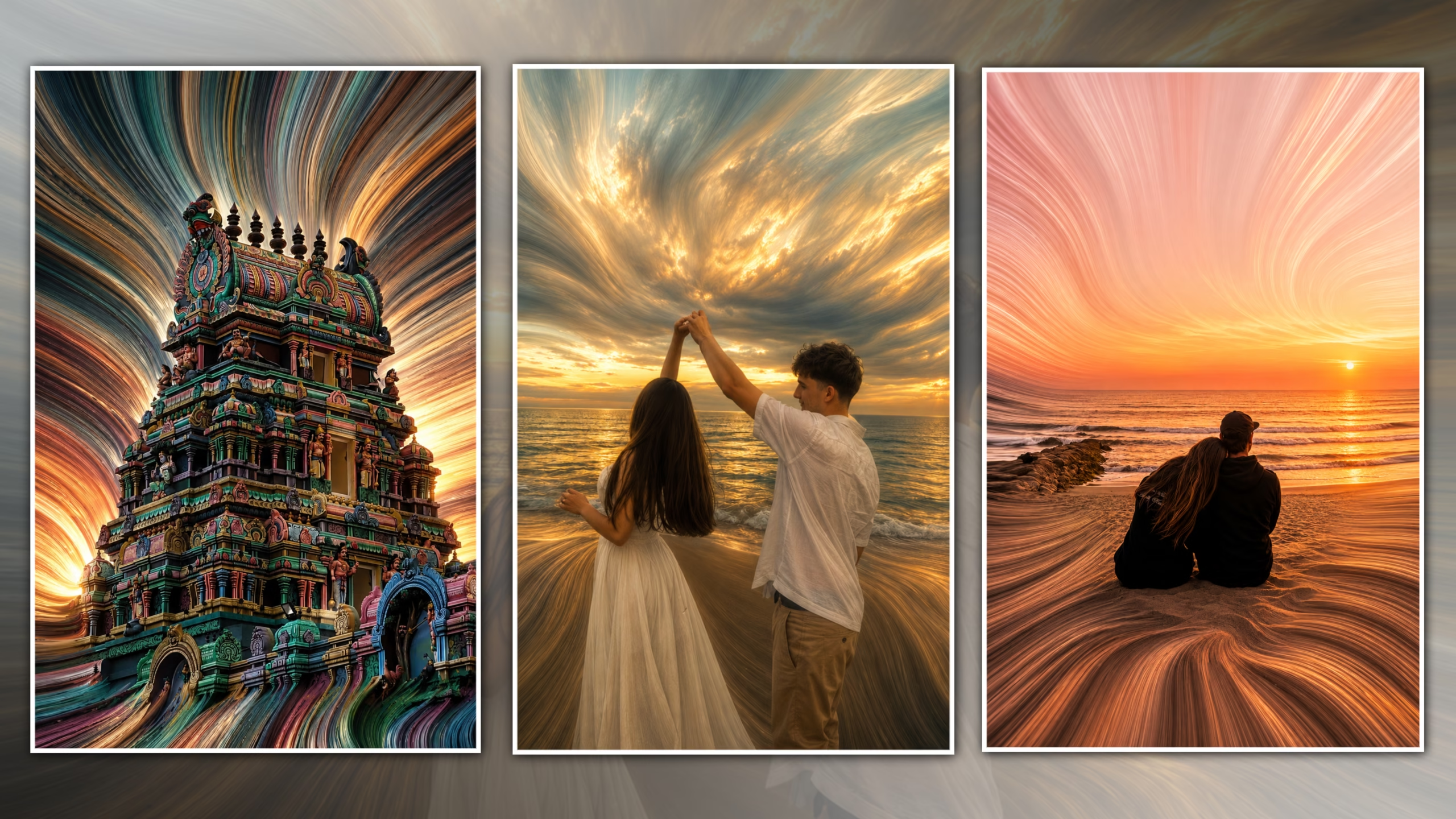
The world of photo editing using digital processes has never been stagnant and has introduced various forms of creative trends which appeal to photographers, graphic designers, and content creators in the social media world. Out of the many creative editing processes, the one that is gaining increasing popularity is the “Trending Pixel Stretch Editing”. This innovative method of photo editing changes normal photos into stunning digital art pieces through stretching the colors and texture of the image in the form of pixel ribbons..
Pixel Stretch Editing differs from ordinary photo manipulation by creating a feeling of motion and depth. The pixels that have been stretched seem like colored streams of paint or light or energy and give your images an upscale look. If you are a novice or a professional designer, this technique of editing gives you the ability to create eye-catching art for social media sites such as Instagram, Pinterest, YouTube thumbnails etc.
In this comprehensive guide, you will learn everything there is to know about the latest trending pixel stretch editing, from what it is to why it has become increasingly popular, along with all the things you need to make your editing successful including the best prompt for AI.
What is Trending Pixel Stretch Editing?
Pixel Stretching Trending Art is a unique digital art process in which some pixels of the image are stretched to form graceful lines while the rest of the image is retained in full clarity and perfection. Unlike distorted images formed by random stretching, the pixels are stretched in curved shapes.
This method blends realism with abstraction in art, resulting in a more lively appearance in the photographs. Professional editors usually make manual pixel stretching through programs such as Adobe Photoshop, and now image generators that use artificial intelligence can accomplish the same using prompts.
Pixel Stretch Editing is commonly used for:
Social Media Content
* Instagram Posts
* Pinterest Pins
* Facebook Covers
* YouTube Thumbnails
Creative Projects
* Digital Posters
* Wallpapers
* NFT Art
* Photography Portfolios
* Advertising Campaigns
* Brand Promotions
Why is Pixel Stretch Editing So Popular?
Pixel Stretch Editing has become one of the fastest-growing digital art trends because it transforms ordinary images into extraordinary visual experiences. It creates a premium appearance that immediately captures attention and encourages viewers to engage with the content.
Creates Eye-Catching Visuals
The smooth flow of stretched pixels adds movement and energy to an otherwise static photograph.
Perfect for Social Media
Creative edits receive higher engagement because they stand out in crowded social media feeds.
Gives a Professional Look
The combination of HDR colors, cinematic lighting, and artistic stretching creates luxury-quality artwork.
Easy to Customize
The effect works on portraits, architecture, wildlife, landscapes, products, and many other photography styles.
Why You Should Try Trending Pixel Stretch Editing in 2026
In today’s world of increasing competition in terms of digital content, there is always the need to find unique means of making your photos distinctive from others. **Trending Pixel Stretch Editing** is one of the latest and best photo editing styles that blend together creativity and photo manipulation to create something outstanding and unique. What makes this editing technique different from any other is the ability to turn a regular photo into a work of art.
Versatility stands out among the many benefits of Pixel Stretch Editing. From portrait editing to temple structures, from landscape to wildlife photography and even travel pictures or product editing, the Pixel Stretch effect can lend a unique modern vibe to your work. These flowing lines of colors give an impression of movement and depth that makes your art seem dynamic and visually appealing. Its uniqueness makes the artwork stand out, something essential for the social media world where catching the viewer’s eye means everything.
Another reason this editing trend continues to grow is the rise of AI-powered editing tools. Today, even beginners can create impressive Pixel Stretch artwork by using well-crafted AI prompts, while professional designers can further refine the results in Adobe Photoshop. This combination of AI technology and manual editing allows creators to achieve gallery-quality results in less time without compromising creativity.
In addition to that, Pixel Stretch Editing is an ideal method for photographers and content makers to create a distinct visual brand identity. Using this style of editing in all your social media accounts, portfolio or even website would help you make a unique brand identity amidst the millions of other content makers out there. Business organizations can also utilize Pixel Stretch Editing in their advertisement and promotion campaigns, including online advertisements.
As we move through 2026, Pixel Stretch Editing is expected to remain one of the leading trends in digital art because of its ability to blend realism with abstract creativity. By experimenting with different stretching directions, color combinations, lighting effects, and compositions, you can develop your own signature editing style. Whether your goal is to create viral Instagram posts, professional portfolio pieces, or luxury digital artwork, mastering **Trending Pixel Stretch Editing** is a valuable skill that can elevate your creative projects and keep your content fresh, modern, and visually unforgettable.
Features of Premium Pixel Stretch Editing
A professionally created Pixel Stretch artwork includes several important characteristics that make it visually appealing.
Ultra HD Resolution
High-resolution images preserve every detail during the stretching process.
Sharp Main Subject
The subject always remains perfectly focused and recognizable.
Smooth Pixel Flow
The stretched pixels appear silky, organic, and natural.

Cinematic Lighting
Balanced highlights and shadows create realistic depth.
Vibrant HDR Colors
Rich colors enhance the artistic appearance without looking oversaturated.
Luxury Digital Art Finish
The final artwork resembles premium gallery-quality digital art.
Tools Required for Pixel Stretch Editing
Choosing the right software is essential for achieving professional results.
Adobe Photoshop
Photoshop provides the most advanced tools for creating manual Pixel Stretch effects.
Adobe Lightroom
Lightroom is useful for enhancing colors, improving contrast, and preparing the image before editing.
AI Image Generators
Modern AI tools can generate high-quality Pixel Stretch artwork using detailed prompts.
Graphic Tablet
A drawing tablet offers better control while blending stretched pixels.
High-Resolution Images
Starting with a sharp image significantly improves the final quality.
How to Create Trending Pixel Stretch Editing
Step 1 – Choose a High-Quality Image
Select a photo with excellent lighting and sharp details.
Step 2 – Isolate the Subject
Separate the main subject from the background using selection tools.
Step 3 – Stretch the Pixels
Extend colors and textures into elegant flowing ribbons.
Step 4 – Blend the Effect
Use soft transitions to merge stretched pixels with the original image.
Step 5 – Enhance Lighting
Adjust highlights, shadows, and exposure for realistic depth.
Step 6 – Improve Colors
Increase vibrance while maintaining natural color harmony.
Step 7 – Apply HDR Effects
Add clarity, texture, and contrast to create a premium finish.
Step 8 – Export in 8K
Save the artwork in Ultra HD for maximum quality.
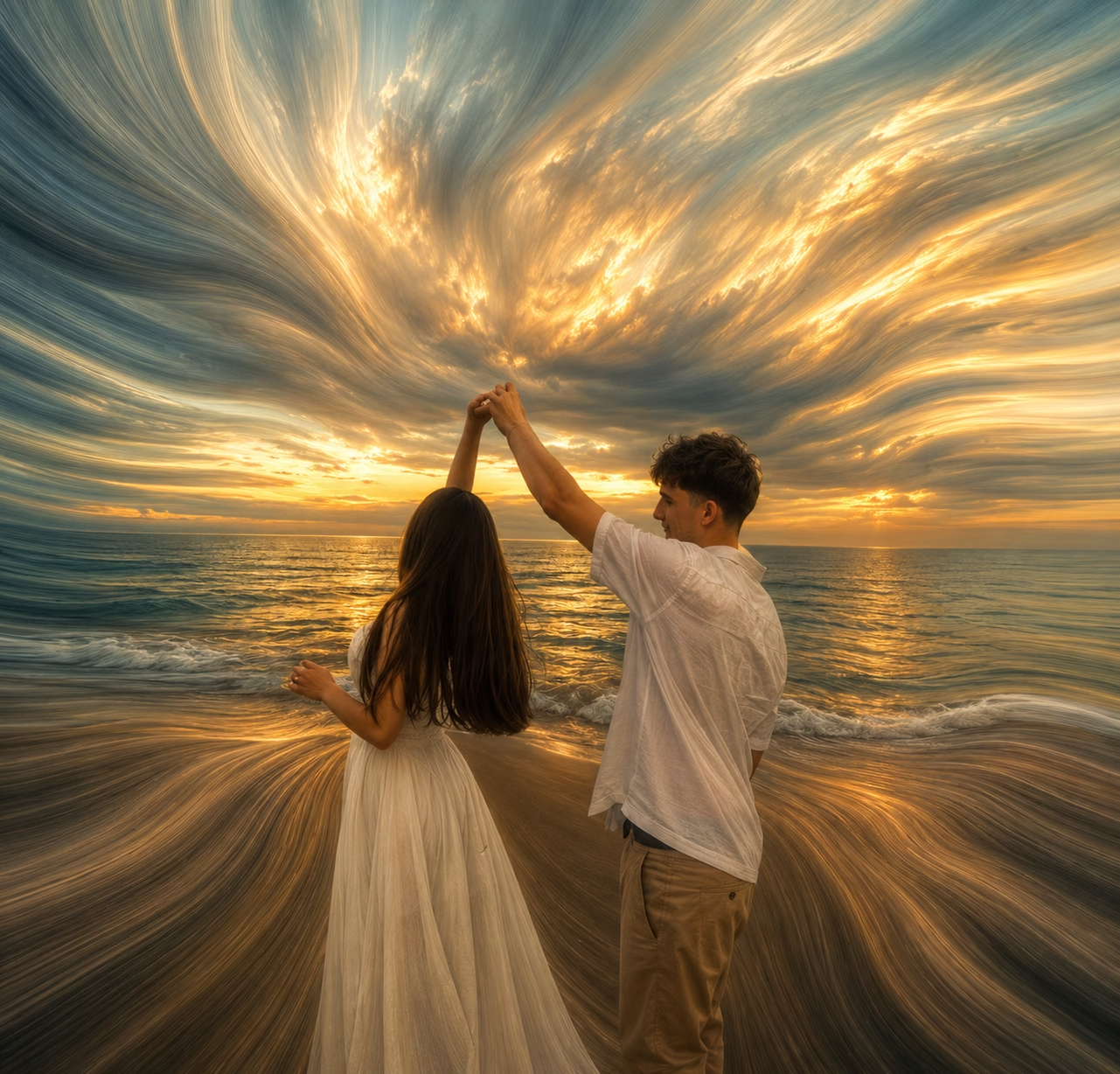
PROMPT LINK : DOWNLOAD
Best Tips for Professional Pixel Stretch Editing
Use High-Resolution Photos
Better images produce smoother stretching.
Keep the Subject Sharp
Never allow the main subject to become distorted.
Follow Natural Curves
The stretched pixels should flow naturally instead of moving in straight lines.
Maintain Color Harmony
Choose colors that blend smoothly throughout the artwork.

Export at Maximum Quality
Always save the final image in the highest available resolution.
Common Mistakes to Avoid
Using Low-Quality Images
Blurry images create poor stretching results.
Overstretching Pixels
Too much stretching makes the artwork look unrealistic.
Ignoring Lighting
Uneven lighting reduces realism.
Oversaturated Colors
Excessive color enhancement makes the image look artificial.
Poor Edge Blending
Visible seams reduce the premium appearance.
Benefits of Pixel Stretch Editing
Increases Social Media Engagement
Creative artwork attracts more likes and shares.
Builds a Professional Portfolio
Unique edits help photographers and designers showcase their creativity.
Enhances Digital Branding
Businesses can use Pixel Stretch artwork for marketing campaigns.
Creates Unique Wallpapers
The artistic effect makes stunning desktop and mobile wallpapers.
Supports Creative Storytelling
The flowing pixels add emotion and movement to visual compositions.
Frequently Asked Questions (FAQ)
What is Pixel Stretch Editing?
Pixel Stretch Editing is a digital art technique that stretches selected pixels into artistic flowing patterns while preserving the main subject.
Can beginners create Pixel Stretch Editing?
Yes. Beginners can start with AI tools or learn the technique using Photoshop tutorials.
Which software is best for Pixel Stretch Editing?
Adobe Photoshop is the industry standard, while AI tools provide faster alternatives.
Can I create Pixel Stretch Editing on mobile?
Yes. Some AI-powered mobile apps support similar effects, although desktop software provides more editing flexibility.
Can AI generate Pixel Stretch artwork?
Yes. Advanced AI image generators can create professional Pixel Stretch artwork using detailed prompts.
Why should I export in 8K?
Higher resolutions preserve image quality for printing and high-end digital displays.
Conclusion
Trending Pixel Stretch Editing is one of the most interesting forms of digital art for photographers, artists, and content creators. The blend of realism and abstract art makes it one of the best types of imagery for catching attention on social media and even professional portfolios.
Irrespective of whether you do the creation of this effect manually in Adobe Photoshop or create it by using AI-powered applications, it is important to ensure sharpness of the subject, proper pixel flow, proper coloring, realistic lighting, and good transitions. With the help of the information provided in this guide about the process and various tricks, it will be easy for you to create gallery-ready Pixel Stretch images.