How to Edit Rakshabandhan Photos Like a Professional on Your Phone
Rakshabandhan photos usually capture family emotions, traditional outfits, the Rakhi, and special moments between siblings. A professional-looking edit does not require heavy filters or complicated effects. The main goal is to improve lighting, composition, colors, and important details while keeping the people and celebration natural.
With a good original photo and a mobile editing app, you can create a clean and polished Rakshabandhan photo directly from your phone.
1. Choose the Right Photo First
Editing cannot completely fix a photo that is badly blurred, extremely dark, or missing important details. Start with the strongest original image.
Choose a photo with:
- Sharp faces and hands
- Natural expressions
- Clearly visible Rakhi
- Reasonable lighting
- Enough image resolution
- Minimal distracting objects
If you have several similar photos, choose the one with the best facial expressions and the clearest view of the Rakhi rather than simply choosing the brightest image.
2. Crop and Straighten Before Editing Colors
Fix the composition before adjusting colors or applying effects.
Keep the main subjects—the brother, sister, Rakhi, and important celebration details—inside the frame. Remove unnecessary empty space and distracting objects around the edges.
Useful ratios:
| Purpose | Recommended Ratio |
|---|---|
| Instagram portrait | 4:5 |
| Instagram Story/Reel cover | 9:16 |
| WhatsApp Status | 9:16 |
| Square post | 1:1 |
For most Rakshabandhan portraits, 4:5 is a practical choice because it gives the subjects enough vertical space without unnecessarily cropping the image.
Straighten the photo if walls, tables, doors, or other obvious lines appear tilted.
3. Fix Exposure Before Adding Effects
Do not start with a strong filter. First make the lighting balanced.
As a starting point, you can try:
| Adjustment | Starting Range |
|---|---|
| Exposure | +0.10 to +0.35 |
| Contrast | +5 to +12 |
| Highlights | −20 to −45 |
| Shadows | +15 to +35 |
| Whites | +3 to +10 |
| Blacks | −3 to −10 |
These values are starting points, not fixed rules.
Use Exposure to correct overall brightness. Lower Highlights when bright clothing, decorations, or faces are losing detail. Raise Shadows when dark hair, clothes, or background areas are too deep.
After adjusting exposure, check the faces again. A brighter photo is not automatically a better photo if the skin becomes overexposed.
4. Correct White Balance and Skin Color
Indoor Rakshabandhan photos can sometimes look too yellow or orange because of artificial lighting. Outdoor photos may have a cooler or slightly blue appearance.
Before changing the overall color, look closely at the skin.
A simple process is:
- Check whether the skin looks too yellow or orange.
- Reduce warmth slightly if necessary.
- Add a small amount of warmth if the image looks too blue.
- Correct unwanted green or pink color casts.
- Compare the result with the original photo.
Avoid making the entire image extremely warm just to create a festive appearance. Natural-looking skin should be the reference point.
5. Add a Subtle Festive Color Grade
Once exposure and white balance are correct, make the colors slightly richer.
A useful starting point is:
| Adjustment | Suggested Range |
|---|---|
| Temperature | Slightly warmer |
| Vibrance | +8 to +18 |
| Saturation | 0 to +5 |
| Texture | +3 to +8 |
| Clarity | 0 to +5 |
Vibrance is useful when you want clothing, decorations, and festive colors to stand out without heavily increasing every color.
Be especially careful with red, orange, pink, and yellow, because these colors can become unnatural quickly.
The goal is not to make the photo extremely colorful. The goal is to make the existing festive colors look cleaner and more noticeable.
6. Enhance the Rakhi and Important Details
The Rakhi is one of the most important visual details in this type of photo, so it should remain easy to notice.
If your editing app supports selective adjustments or masking, use them on:
- Rakhi
- Rakhi thread
- Jewellery
- Embroidery
- Tilak
- Important clothing details
Apply a small amount of texture or sharpness where necessary.
Do not apply strong sharpening to the entire image. Excessive sharpening can make skin look rough and create unnatural edges around hair and clothing.
7. Clean Distracting Background Elements
A clean background can make the subjects more prominent without changing the character of the original photo.
Use an object-removal or healing tool only for small distractions such as:
- Wires
- Plastic bags
- Bottles
- Papers
- Small wall marks
- Unwanted objects near the subjects
Do not remove meaningful family members, decorations, or important parts of the celebration just to make the image look empty.
After removing an object, zoom in and check the area for repeated patterns, smudges, or cloning marks.
The goal is distraction reduction, not artificial background replacement.
8. Keep Skin Natural
One of the easiest ways to make a mobile edit look artificial is excessive skin smoothing.
Avoid:
- Removing all skin texture
- Making faces unnaturally bright
- Changing natural skin color
- Excessive face smoothing
- Strong face reshaping
If a face looks slightly dark, correct it through exposure, shadows, or selective brightness before using beauty effects.
Natural skin texture usually makes the final photograph look more realistic and professional.
9. Export Without Losing Quality
Before exporting, view the complete photo at full size.
Check these points:
- Faces are sharp
- Skin looks natural
- Rakhi is clearly visible
- Bright areas still contain detail
- Shadows are not completely black
- Background cleanup looks realistic
- Colors are not excessively saturated
- The selected crop works for the platform
Export as a high-quality JPEG for normal social-media use, while keeping the original photo separately.
Avoid repeatedly editing and exporting the same compressed JPEG because repeated compression can gradually reduce image quality.
Common Editing Mistakes
Using a strong filter first
Fix exposure and white balance before applying any creative look.
Increasing saturation too much
Use moderate vibrance and check skin, clothing, and decorations separately.
Over-smoothing faces
Keep natural skin texture instead of making faces look plastic.
Sharpening the entire image heavily
Apply detail adjustments selectively, especially around the Rakhi and clothing.
Removing too many background elements
Clean distractions while preserving the original celebration and environment.
Final Check Before Posting
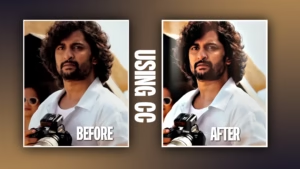
Compare the edited version with the original.
Ask yourself:
- Are the faces clearer?
- Is the lighting more balanced?
- Does the skin still look natural?
- Is the Rakhi easy to notice?
- Are the festive colors attractive without looking artificial?
- Does the background still look realistic?
- Does the photo look better without making the editing itself obvious?
If the answer is yes, the photo is ready to post.
Conclusion
In professional Rakshabandhan image editing, the process is more focused on making improvements rather than creating any fancy effect. Start with an already good image, make composition and lighting better, balance white colors, color the image in festive colors, emphasize the Rakhi and get rid of all distractions.
The best edit is the one that looks more attractive but also keeps authenticity and reality of the moment.