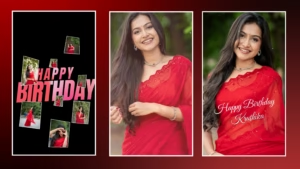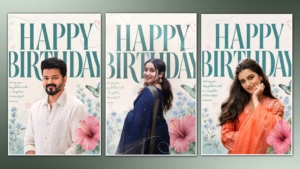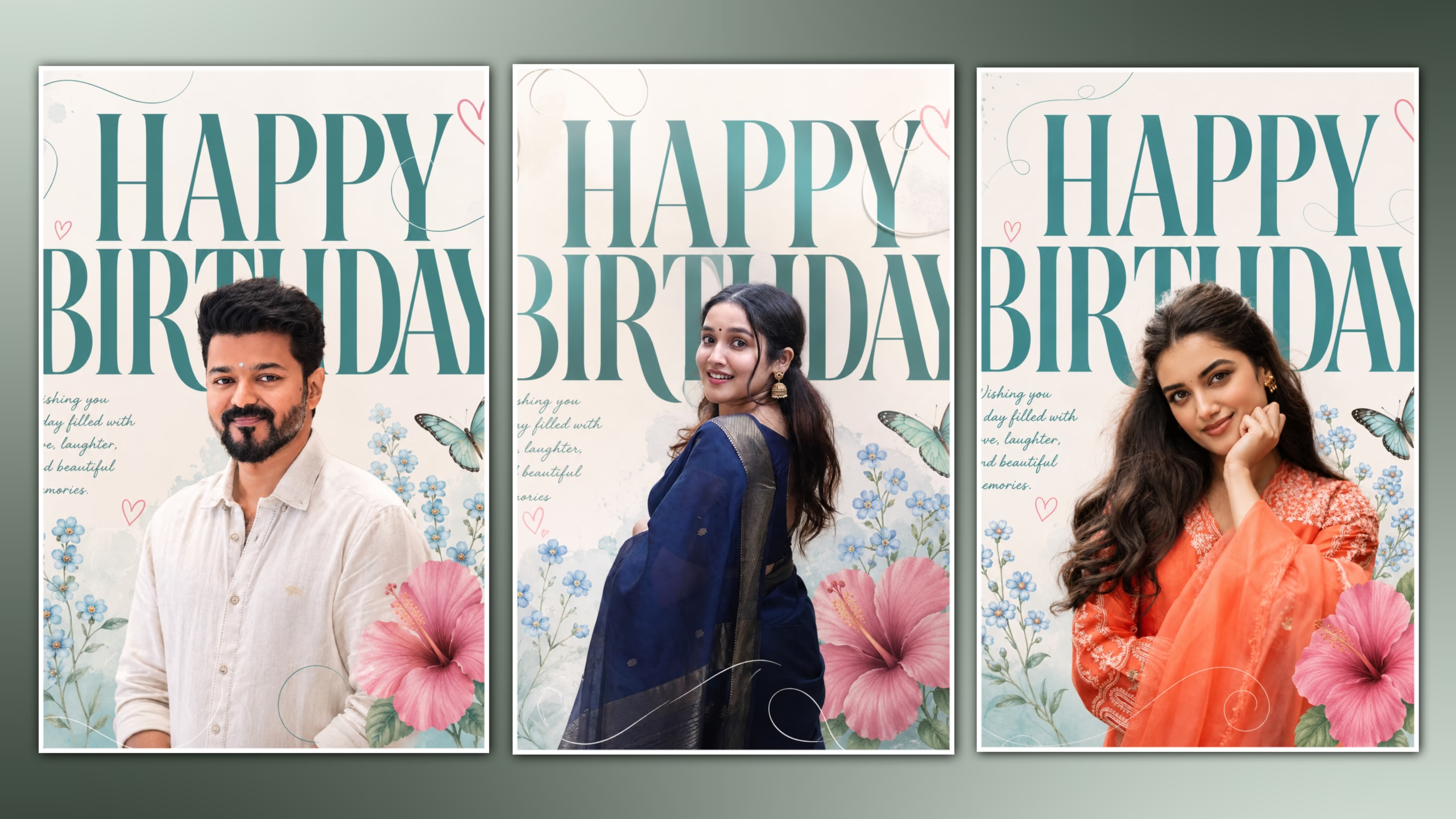
The way people celebrate their birthdays has become more innovative, and personalized birthday posters have become one of the most popular trends on social media. It does not matter whether you want to share your poster on Instagram, WhatsApp status, Facebook, or surprise birthday post; all that people look forward to is having an exclusive birthday poster. In the past, making such posters needed professional skills and high-end software. However, AI technology has revolutionized the whole concept.
The use of AI-based images helps you convert a simple portrait into an attractive birthday poster within a few minutes. It automatically creates an artistic background, premium font style, flowers, cinematic lighting, and design, even if you have no expertise in graphic editing. Beginners can make high-end images with the use of good prompts on AI tools..
In this ultimate guide, you will discover how to design your own Trending Birthday Poster Editing design with the help of Artificial Intelligence. You will get acquainted with the best AI-based tools, editing tips, prompt creation methods, export settings, and other useful information necessary for creating a premium aesthetic birthday poster.
Whether you’re creating a birthday poster for yourself, your friends, family members, or clients, this tutorial will help you achieve stunning results quickly and effortlessly.
What is AI Birthday Poster Editing?
The concept of AI Birthday Poster Editing entails applying the use of artificial intelligence in order to create professional-looking birthday posters out of a single photograph. Rather than manually editing everything within Photoshop, AI technology understands your request and generates an entire birthday poster for you automatically with premium graphics.
Current AI technology is capable of generating beautiful fonts, realistic lighting effects, pastel colors backgrounds, floral designs, butterflies, elegant shapes, artistic designs and many more in just seconds. All that you have to provide is a good portrait picture and detailed prompts of the style you want.
AI differs from conventional editing in that it not only helps save many hours but also delivers high-quality results with professional designs. The application is highly valuable to content creators, designers, social media users, or anyone who wants beautiful birthday posters but does not have sufficient editing time.
The technology keeps learning from millions of visual samples and delivers visually balanced and colorful posters with up-to-date design styles according to the trends in social media.
Why AI Birthday Poster Editing Is Trending
AI-based birthday posters have gained immense popularity because they combine creativity, speed, and premium-level posters. The social media platform such as Instagram, Facebook, and WhatsApp has increased the personal touch of birthday greetings. People have started to share posters which are unique in their looks and also have visual appeal.
The most important reason behind this trend is that the AI enables people to create premium-level posters despite not having any knowledge of graphic designing. It would take many hours for manual editing but the process becomes easier when users can upload their picture and give an elaborate prompt.
High-quality aesthetic birthday posters can also be highly engaged due to the following features they offer: elegant typography, soft color scheme, florals, and cinematic portrait photography. These visuals naturally draw attention and add value to your birthday greetings.
The second aspect that makes these posters more and more popular is related to the existence of advanced AI tools, which are easy to use with both mobile gadgets and PCs. Most applications offer high-resolution images so that you can easily make posters for Instagram, Stories, WhatsApp Status, Facebook cover photo, and even printable birthday posters.
As AI technology continues to improve, birthday poster editing is becoming faster, smarter, and more accessible. This is why AI-powered birthday poster creation has become one of the hottest design trends in recent years.
Features of a Premium Aesthetic Birthday Poster
Creating an elegant birthday poster isn’t only about putting text with ‘happy birthday’ on a picture; it’s about merging design and editing skills and using modern visual components for a great-looking effect. With the help of AI tools, you can make your birthday poster look elegant without wasting much time.
Here is the list of the most important characteristics of a premium birthday poster:
- High-Resolution Portrait: A clear, sharp image produces the best AI results and ensures every facial detail looks natural.
- Elegant Typography: Stylish fonts for “Happy Birthday” and the person’s name make the design more attractive.
- Soft Pastel Background: Light colors such as teal, pink, beige, or cream create a premium aesthetic.
- Floral Decorations: Flowers, butterflies, leaves, and subtle decorative elements add beauty without making the poster look crowded.
- Professional Lighting: Soft natural lighting and cinematic highlights give the portrait a realistic and luxurious appearance.
- Balanced Layout: Every design element should have enough space so the poster looks clean and easy to read.
- Minimal Design: Keeping the design simple often creates a more elegant and premium feel.
- High-Quality Export: Always export the poster in PNG format with maximum resolution to maintain image quality.
When these elements are combined properly, the final poster looks suitable for Instagram, WhatsApp Status, Facebook posts, and even printed birthday banners.
Best AI Tools for Birthday Poster Editing
Several useful programs have been developed by Artificial Intelligence that allow creating birthday posters of premium quality in just a few minutes. However, each program differs in its options. Therefore, you should select an option according to your needs.
1. Image Generation with ChatGPT
One of the simplest means of creating professional birthday posters. You need to upload a clear portrait and give a prompt. The program will develop beautiful images with realistic lighting, flowers, and typography.
2. Google Gemini
Gemini is excellent for generating creative design ideas and improving AI prompts. It helps users create unique concepts before generating the final poster.
3. Canva AI
Canva provides ready-made templates combined with AI-powered editing tools. It is ideal for beginners who want quick customization with drag-and-drop features.
4. Adobe Firefly
Adobe Firefly produces high-quality artistic effects and realistic backgrounds, making it useful for advanced birthday poster editing.
5. Microsoft Designer
Microsoft Designer uses AI to generate attractive layouts, typography, and social media-ready birthday posters within minutes.
Using any of these tools with a detailed prompt can significantly improve the final output and reduce editing time.
Step-by-Step Guide to Create a Premium Birthday Poster with AI
Creating a professional birthday poster with AI is simple when you follow the right process.
Step 1: Choose a High-Quality Photo
Select a clear portrait with good lighting and high resolution. Avoid blurry or heavily filtered images because AI performs best with natural-looking photos.
Step 2: Upload the Image
Open your preferred AI image generation tool and upload the selected portrait.
Step 3: Enter the AI Prompt
Copy the detailed prompt provided above and paste it into the prompt box. If needed, customize it by changing colors, outfits, decorations, or background style to match your preferences.
Step 4: Generate Multiple Versions
Instead of generating just one design, create several variations. AI often produces different layouts, lighting effects, and decorative elements, giving you more options to choose from.
Step 5: Select the Best Poster
Compare all generated designs carefully. Look for natural facial details, balanced composition, clear typography, and realistic lighting before selecting the final version.
Step 6: Add Personalized Details
If necessary, edit the person’s name, birthday date, or a short birthday message using a photo editing app or graphic design software. This makes the poster more meaningful and unique.
Step 7: Export in High Quality
Download the final design as a PNG file in the highest available resolution. For social media, use a 4:5 aspect ratio for Instagram posts or 9:16 for WhatsApp Status and Instagram Stories.
By following these steps, you can create a premium birthday poster that looks professionally designed without needing advanced editing skills.
Best Tips for Creating a Premium AI Birthday Poster
Creating a beautiful birthday poster with AI is not only about entering a prompt. The quality of the final result depends on the image you choose, the prompt you write, and the editing decisions you make. By following a few simple techniques, you can significantly improve the overall appearance of your AI-generated birthday poster.
1. Use a High-Quality Portrait
Always choose a high-resolution image with a clear face. AI performs much better when the facial features are sharp and well-lit. Blurry, pixelated, or heavily compressed images often produce unnatural results.
2. Choose Natural Lighting
Photos taken in daylight or under soft lighting usually give the best output. Natural lighting helps AI preserve realistic skin tones and facial details.
3. Write a Detailed AI Prompt
A detailed prompt helps AI understand exactly what you want. Include information such as:
- Outfit
- Background color
- Typography style
- Flowers
- Butterflies
- Lighting
- Color grading
- Aspect ratio
- Image quality
The more descriptive your prompt is, the better the generated poster will be.
4. Keep the Design Minimal
Many beginners try to add too many decorative elements. A clean and balanced design always looks more premium than an overcrowded one.
Focus on:
- Elegant typography
- Soft floral decorations
- Premium lighting
- Balanced spacing
- Minimal color palette
5. Generate Multiple Versions
Don’t settle for the first result. AI creates different variations every time. Generate at least three or four versions and choose the one with the best facial details, composition, and lighting.
6. Maintain Natural Skin Tone
Avoid prompts that create unrealistic beauty filters or excessive skin smoothing. Keeping natural skin texture makes the poster look authentic and professional.
7. Export in Maximum Resolution
Always save the final poster in PNG format with the highest available resolution. High-quality exports look better on social media and maintain sharpness when printed.
Common Mistakes to Avoid
Even with powerful AI tools, certain mistakes can reduce the overall quality of your birthday poster. Avoid these common errors for better results.
Using Low-Quality Images
AI cannot recover details that don’t exist in the original photo. Always start with a clear, high-resolution portrait.
Writing Short Prompts
Simple prompts like “Make birthday poster” usually generate generic designs. A detailed prompt produces far better results.
Adding Too Many Decorations
Excessive flowers, stickers, sparkles, and text can make the poster look messy. A premium aesthetic focuses on simplicity and balance.
Ignoring Typography
Fonts play a major role in the overall design. Choose elegant and readable typography instead of overly decorative fonts.
Wrong Aspect Ratio
Using the correct dimensions ensures your poster fits perfectly on different platforms.
- Instagram Post – 4:5
- WhatsApp Status – 9:16
- Facebook Post – 1:1
Over-Editing
Avoid changing facial features too much. Preserve the person’s natural identity for a realistic and professional appearance.
Best Export Settings
Once your poster is ready, exporting it with the right settings helps maintain its quality across all devices and platforms.
Recommended Settings:
- Format: PNG
- Quality: Maximum
- Resolution: 1080 × 1350 pixels (Instagram 4:5)
- Stories/Status: 1080 × 1920 pixels (9:16)
- Color Mode: RGB
- Background: High-quality with no compression
- File Size: Optimize without losing image clarity
These settings ensure your birthday poster remains sharp, vibrant, and professional when shared online or printed.
Advantages of AI Birthday Poster Editing
AI-assisted birthday posters have gained much popularity due to the benefits of time, creativity, and professional-quality posters which do not need any advanced skills in designing.
The most important features are:
Time Savings: Produce fantastic posters in a few minutes rather than wasting your hours on manual editing.
- Beginner Friendly: No professional graphic design experience is needed.
- Professional Results: AI produces clean layouts, realistic lighting, and modern aesthetics.
- Cost Effective: Many AI tools offer free or affordable options, making premium designs accessible to everyone.
- Unlimited Creativity: Experiment with different styles, backgrounds, colors, and themes until you find the perfect look.
- Social Media Ready: Posters are optimized for Instagram, Facebook, WhatsApp, and other platforms.
- Easy Customization: You can personalize names, colors, outfits, and decorations to match the birthday person’s preferences.
- High-Resolution Output: AI generates HD-quality images suitable for both digital sharing and printing.
Whether you’re creating a birthday poster for a friend, family member, client, or your own social media profile, AI simplifies the entire design process while delivering premium-quality results.
Frequently Asked Questions (FAQ)
1. Is AI Birthday Poster Editing free?
Yes, many AI tools offer free plans that allow you to create beautiful birthday posters. Some premium features may require a subscription, but free versions are more than enough for personal use.
2. Which AI tool is best for Birthday Poster Editing?
There are several excellent AI tools available. ChatGPT image generation, Canva AI, Adobe Firefly, Microsoft Designer, and Google Gemini are among the most popular choices. Each tool offers unique features, so you can choose the one that best fits your editing style.
3. Can I use my own photo?
Absolutely. In fact, using your own high-quality portrait is the best way to create a personalized birthday poster. AI performs best with clear, well-lit images that preserve natural facial details.
4. Which aspect ratio is best for social media?
The ideal aspect ratio depends on where you plan to share your poster:
- Instagram Post: 4:5
- Instagram Story: 9:16
- WhatsApp Status: 9:16
- Facebook Post: 1:1
Choosing the correct dimensions ensures your poster looks professional without unwanted cropping.
5. Do I need Photoshop after using AI?
Not necessarily. AI tools can generate complete birthday posters with professional-quality results. However, Photoshop or Canva can be useful if you want to make small adjustments such as changing the name, adding custom text, or fine-tuning colors.
6. How can I make my AI-generated poster look more realistic?
Start with a high-resolution portrait, write a detailed prompt, use natural lighting, and avoid adding too many decorative elements. Generating multiple versions and selecting the best one will also improve the final quality.
7. Can beginners create premium birthday posters using AI?
Yes. One of the biggest advantages of AI is that it makes professional-quality editing accessible to everyone. Even users with no graphic design experience can create stunning birthday posters by following a simple step-by-step process.
8. Can I use AI-generated birthday posters for clients?
Yes, many designers and freelancers use AI to create customized birthday posters for clients. Before using any AI tool commercially, always review its licensing and usage terms.
Conclusion
Producing an elegant-looking birthday poster is now incredibly easy because of the advent of artificial intelligence. A task that was previously done using sophisticated knowledge of editing and expensive software has now become much simpler, all because of the use of certain AI techniques and the formulation of a proper prompt. Whether you have a mastery of typographies, flower decorations, or high-resolution graphics, AI makes the process very simple.
Whether you are designing a poster for your friend, family, customer, or for your social networking profile, using the tips discussed above will enable you to create amazing designs. You will be able to make good use of your portrait, prompt descriptions, clean layouts, and proper export of your poster in terms of resolution.
The application of artificial intelligence technology is bound to improve further, making the process of editing birthday posters more creative. Try various prompt options, styles, and layouts to form your own unique design style. You are guaranteed of making an incredible birthday poster from just an ordinary picture.
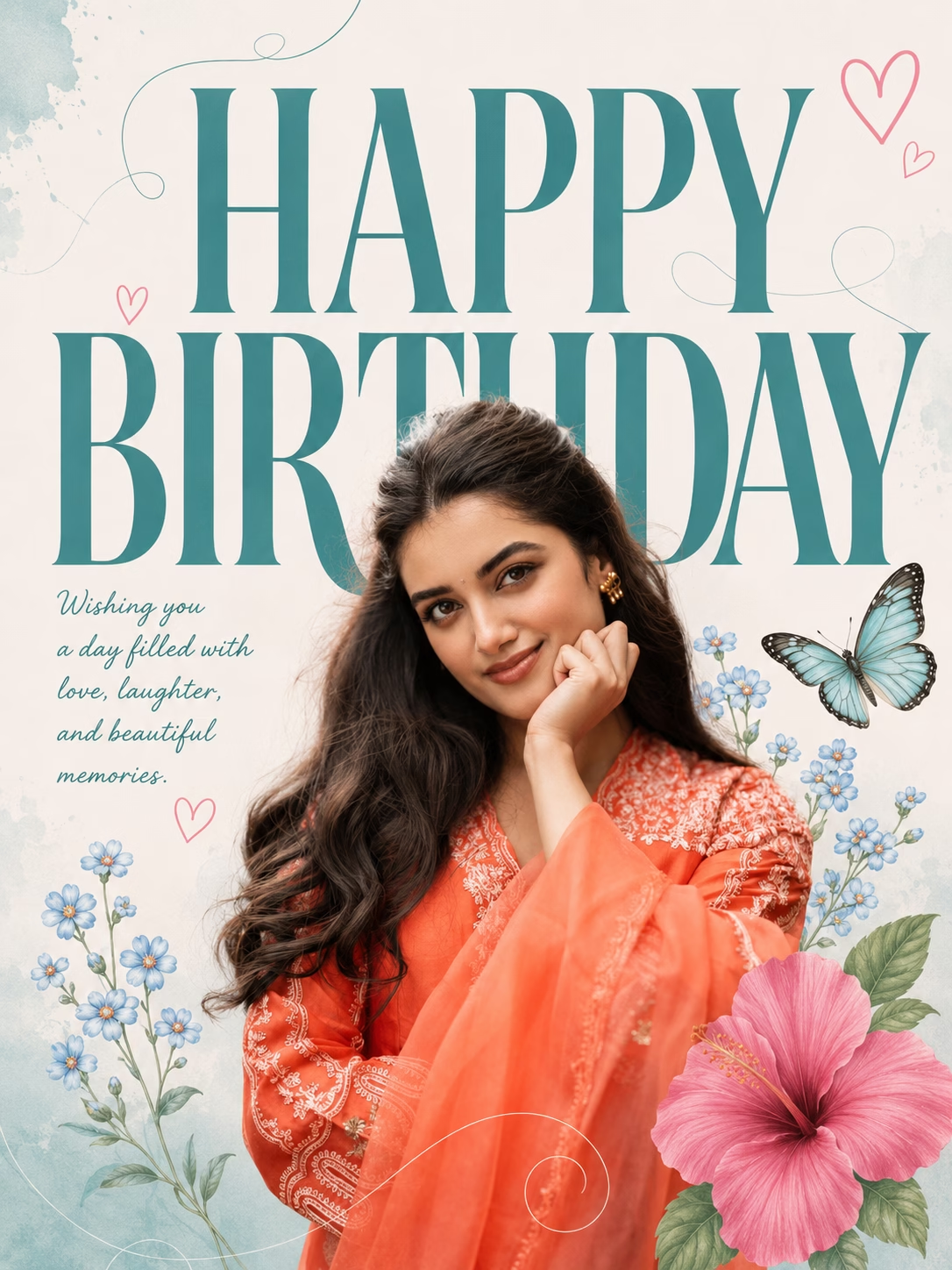
Create two different premium birthday poster featuring a young Indian in a ethnic outfit, standing in front of oversized teal “HAPPY BIRTHDAY”background. Add pastel floral illustrations, a pink hibiscus flower, blue forget-me-nos, delicate butterfly, heart doodles, and elegant curved line art. Use soft natural lighting, minimal aesthetic design, clean composition, high detail, Instagram-ready, 4:5 & 9:16 ratio.
(Give both poster separately)