Create an Ultra-Realistic Gangster Photo Edit With AI
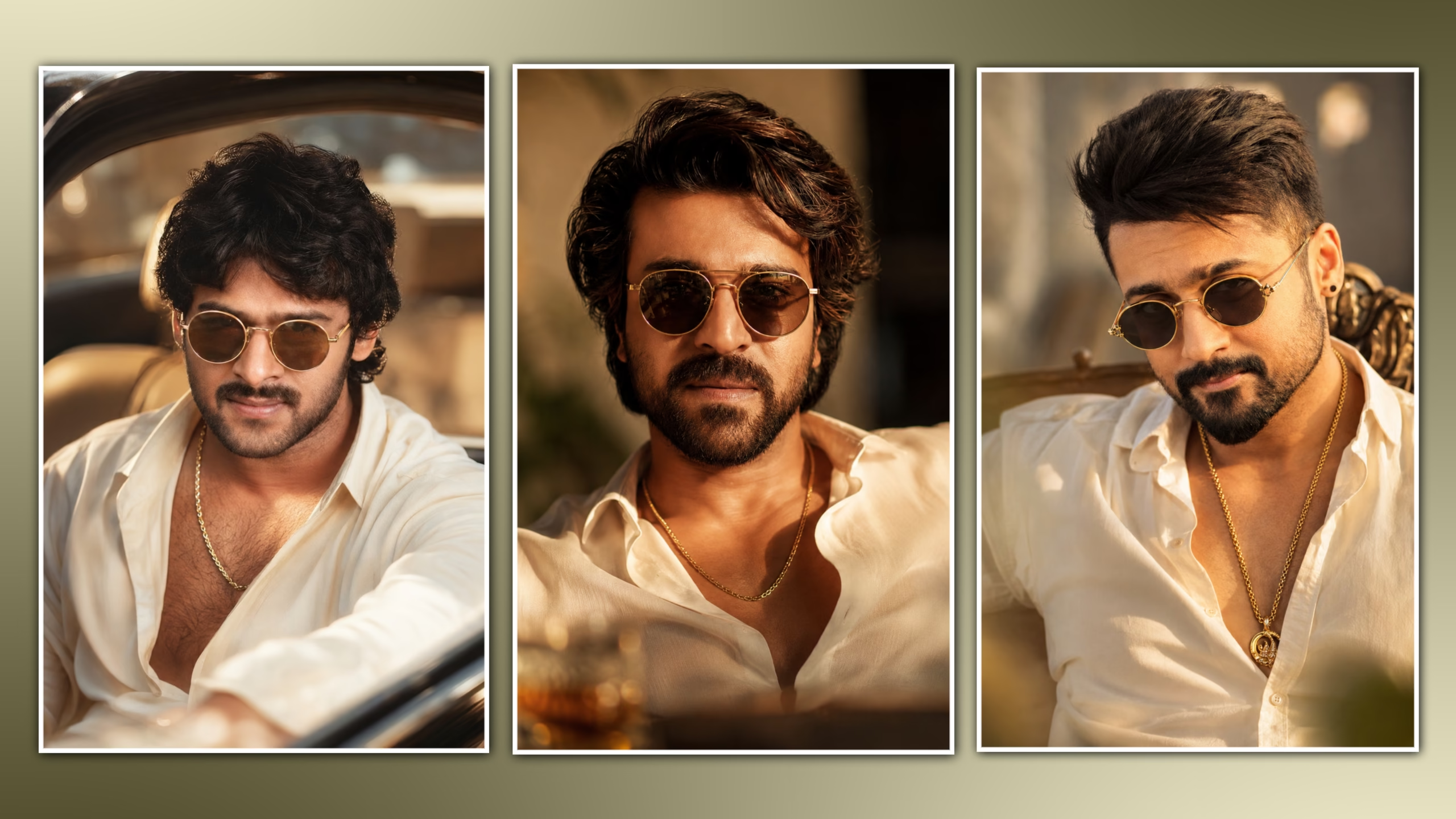
An AI-assisted photo edit has the capability to turn a regular photo into an incredibly realistic gangster-themed one without sacrificing the individual’s identity.
Some of the key aspects include the preservation of the identity, realistic clothes, lighting, shadows, background, skin details, and controlled color grading. This article highlights the process of creating an ultra-realistic gangster photo edit with the help of AI..
1. Choose a Suitable Photo
Start with a clear, high-quality portrait. AI editing works better when the face is sharp and clearly visible.
Look for:
- Clear facial details
- Good lighting
- Natural facial proportions
- Minimal motion blur
- Enough space around the subject
- A manageable background
Front-facing or slightly angled portraits generally work well for this style.
Avoid heavily compressed photos, strong beauty filters, or images where the face is partially hidden.
Recommended starting point: Use an image with at least 1080 px on the shortest side when possible.
2. Define the Visual Style
Decide the main visual direction before generating the image.
A strong cinematic setup can use a dark tailored suit, sophisticated low-light environment, dramatic side lighting, and subtle background highlights.
Keep the outfit, environment, lighting, and color consistent. Too many unrelated elements can make the AI-generated scene look artificial.
3. Preserve the Subject’s Identity
Identity preservation is one of the most important parts of an AI photo edit.
Your prompt should instruct the AI to preserve the subject’s:
- Facial identity
- Face shape
- Eyes
- Nose
- Lips
- Jawline
- Skin tone
- Hairstyle
- Age
- Natural proportions
Use an instruction such as:
Preserve the exact facial identity, facial structure, skin tone, hairstyle, age, and natural proportions of the reference subject. Do not redesign, replace, or alter the face.
The objective is to change the styling and environment, not create a different person.
4. Build a Detailed AI Prompt
Avoid vague instructions such as “make this photo look gangster.” Instead, describe the specific elements you want to change.
A useful prompt structure is:
Identity + outfit + pose + environment + lighting + camera look + realism + composition
Example AI Prompt
Create an ultra-realistic cinematic gangster portrait using the reference subject. Preserve the exact facial identity, facial structure, skin tone, hairstyle, age, and natural proportions. Dress the subject in a perfectly fitted black tailored suit with a dark shirt. Place him in a sophisticated dimly lit interior with subtle warm practical lights and deep shadows. Use dramatic side lighting across the face, realistic skin texture, natural eyes, detailed fabric, physically believable shadows, shallow depth of field, realistic lens rendering, cinematic contrast, and professional portrait photography. Keep the face sharp and natural. Avoid plastic skin, distorted hands, unrealistic eyes, artificial textures, excessive glow, and cartoon-like details.
This gives the AI clear instructions about the complete scene instead of relying on a single style keyword.
5. Choose Realistic Clothing
Clothing should match the environment and overall cinematic style.
Suitable options include:
- Black tailored suit
- Dark dress shirt
- Long dark coat
- Black leather jacket
Start with simple clothing before adding accessories. Too many accessories can introduce inconsistent AI-generated details.
Pay attention to the fit around the shoulders, arms, collar, and body.

Realism tip: The clothing should contain believable folds, seams, and fabric texture rather than appearing digitally painted onto the subject.
6. Create Cinematic Lighting
Lighting has a major effect on realism.
A practical setup is a directional key light from approximately 45° to one side of the face, while the opposite side remains slightly darker.
| Lighting Element | Starting Approach |
|---|---|
| Key light | Strong, around 45° from subject |
| Fill light | Low intensity |
| Background light | Subtle |
| Overall mood | Dark but detailed |
Do not make the entire image extremely dark. The face should retain enough detail to look photographic.
The same lighting direction should make sense across the face, clothing, and background.
7. Match the Background and Depth
Choose an environment that naturally fits the subject’s clothing and lighting.
Suitable locations include a luxury interior, private lounge, sophisticated office, or nighttime city environment.
The background should support the subject rather than compete with it.
For depth, keep the subject sharp and make the background moderately softer.
Recommended approach:
Subject: Sharp
Background: Moderately blurred
Depth: Natural
Avoid excessive blur that completely removes the background detail. Some environmental shapes and light sources should remain visible.
8. Match Shadows and Light
Check how the subject interacts with the environment.
Look at:
- Facial shadows
- Clothing shadows
- Contact shadows
- Surface interaction
- Light direction
- Reflected light
If the main light comes from the left, the shadow pattern should remain consistent with that direction.
The goal is believable interaction between the subject and the environment rather than extremely dark shadows.
9. Preserve Natural Skin and Eyes
Ultra-realistic does not mean perfectly smooth skin.
Preserve subtle details such as:
- Natural skin texture
- Fine facial lines
- Realistic eye reflections
- Individual hair strands
- Natural lips
Avoid excessive face smoothing or instructions such as “perfect flawless skin,” which can create a plastic appearance.
Pay particular attention to the eyes because unnatural eyes can make an otherwise detailed AI portrait look artificial.
10. Apply a Controlled Color Grade
Use color correction to make the subject and background feel like one photograph.
Use these as starting values:
| Adjustment | Starting Range |
|---|---|
| Exposure | −0.2 to +0.2 |
| Contrast | +10 to +20 |
| Highlights | −15 to −30 |
| Shadows | −5 to +10 |
| Saturation | −5 to +5 |
| Temperature | Slightly warm or neutral |
These are starting points, not fixed presets.
Keep skin tones natural even when using a darker cinematic grade. If the background is too colorful, reduce its saturation separately instead of heavily desaturating the entire image.

11. Fix AI Artifacts
Never assume the first generated image is ready to publish.
Inspect the image closely around:
- Eyes
- Teeth
- Fingers
- Hands
- Ears
- Hair
- Suit buttons
- Glasses
- Jewelry
- Clothing edges
- Background objects
If only one area is incorrect, use selective editing or regenerate that area instead of changing the entire composition.
This can preserve a good result while correcting individual AI artifacts.
12. Avoid Excessive Effects
A realistic gangster photo does not need a large collection of visual effects.
Avoid excessive:
- Glow
- Lens flare
- Smoke
- Sparks
- Heavy grain
- Strong vignette
- Neon effects
- Artificial sharpening
The main visual impact should come from lighting, styling, composition, and realism.
If an effect becomes more noticeable than the subject, reduce its intensity.
13. Final Composition and Export
Choose the aspect ratio based on where the image will be used.
| Use | Recommended Size | Ratio |
|---|---|---|
| Social media portrait | 1080 × 1350 px | 4:5 |
| Full-screen vertical | 1080 × 1920 px | 9:16 |
| Square post | 1080 × 1080 px | 1:1 |
Keep enough space around the head and shoulders. If the subject is looking toward one side, leaving some negative space in that direction can create a stronger composition.
For most social media images:
- Format: JPEG
- Quality: 85–95%
- Color: RGB
- Resolution: 1080 px or higher
Keep the original high-resolution or editable project file separately for future corrections.
14. Final Quality Checklist
Before publishing, check:
- The face still matches the original subject.
- Facial proportions and eyes look natural.
- Clothing fits the body correctly.
- Lighting direction is consistent.
- Shadows look believable.
- Skin texture does not look overly smooth.
- Hands and small details are free from obvious AI artifacts.
- The background supports the subject.
- Effects do not overpower the photograph.
- The final crop and resolution are suitable for the platform.
AI Prompt Formula for Future Edits
For future projects, build prompts using this structure:
Reference identity + outfit + pose + environment + lighting + camera characteristics + realism + composition + negative instructions
For example:
Keep the identity of the reference object unchanged. Make a believable cinematic portrayal of a gangster with a fitting dark suit, natural posture, low-key interior, side light, separation of background, realistic skin texture, fabric texture, believable eyes, physically correct shadows, shallow depth of field, believable lens look, cinematic contrast, professional photographic style, high level of detail, and natural proportions. Do not alter the face, make plastic skin, distort hands, make unconvincing eyes, add glow, use unrealistic textures, create cartoon-style look, and over-process details.
The above formula may be adjusted by varying the outfit, location, lighting, and composition while maintaining realism criteria.
Final Takeaway
A convincing AI gangster photo edit depends on controlled transformation rather than excessive effects.
Begin by selecting an appropriate photo, keeping the identity of the person intact, describing their clothes and surroundings, giving a realistic lighting and shadow effect, keeping the skin tone realistic, and ending with a subtle color correction.
The result is an effective image that has the appearance of both a movie gangster as well as a realistic photo.
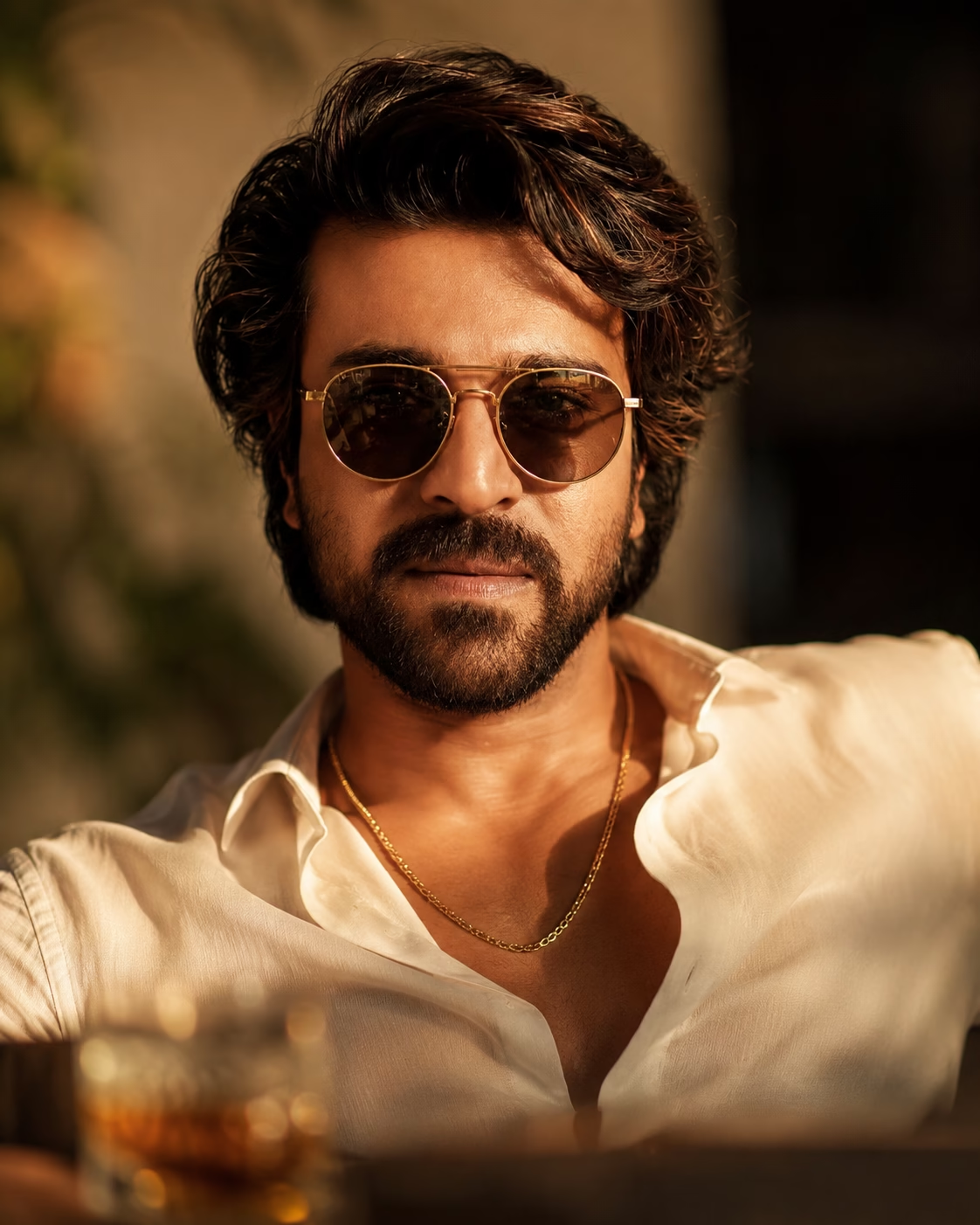
PROMPT
Use the uploaded reference image as the highest-priority facial reference. Preserve the subject’s exact face identity 100% do not alter facial structure, eyes, nose, lips, jawline, skin tone, hairstyle, beard, expression, or any unique features. Face must remain identical to the reference. Ultra-realistic cinematic 4:5 portrait, cream-white shirt, stylish gold chain, round gold sunglasses, confident gangster attitude, warm golden dappled sunlight, dramatic shadows, shallow depth of field, soft foreground blur, premium color grading, DSLR 85mm lens, ultra-detailed skin texture, realistic reflections, Instagram-quality, photorealistic.